
Quickstart
Create your first rollover in under 5 minutes. Get your API key, fetch partners, and submit a rollover request — all from the command line.
What You'll Build
By the end of this guide, you'll have successfully created a 401(k) rollover request via the TrustRails API. The rollover will appear in your dashboard, and you can track its progress through the state machine.
5 minutes
to complete
3 API calls
to create a rollover
No SDK required
standard REST API
Prerequisites
- A TrustRails account with API access enabled
- An API key (you'll generate one in Step 1)
- cURL, Postman, or any HTTP client
Get Your API Key
Generate an API key from the Integration Portal.
Navigate to the Integration Portal and locate the API & Webhooks tab. Click Generate New Key to create an API key.
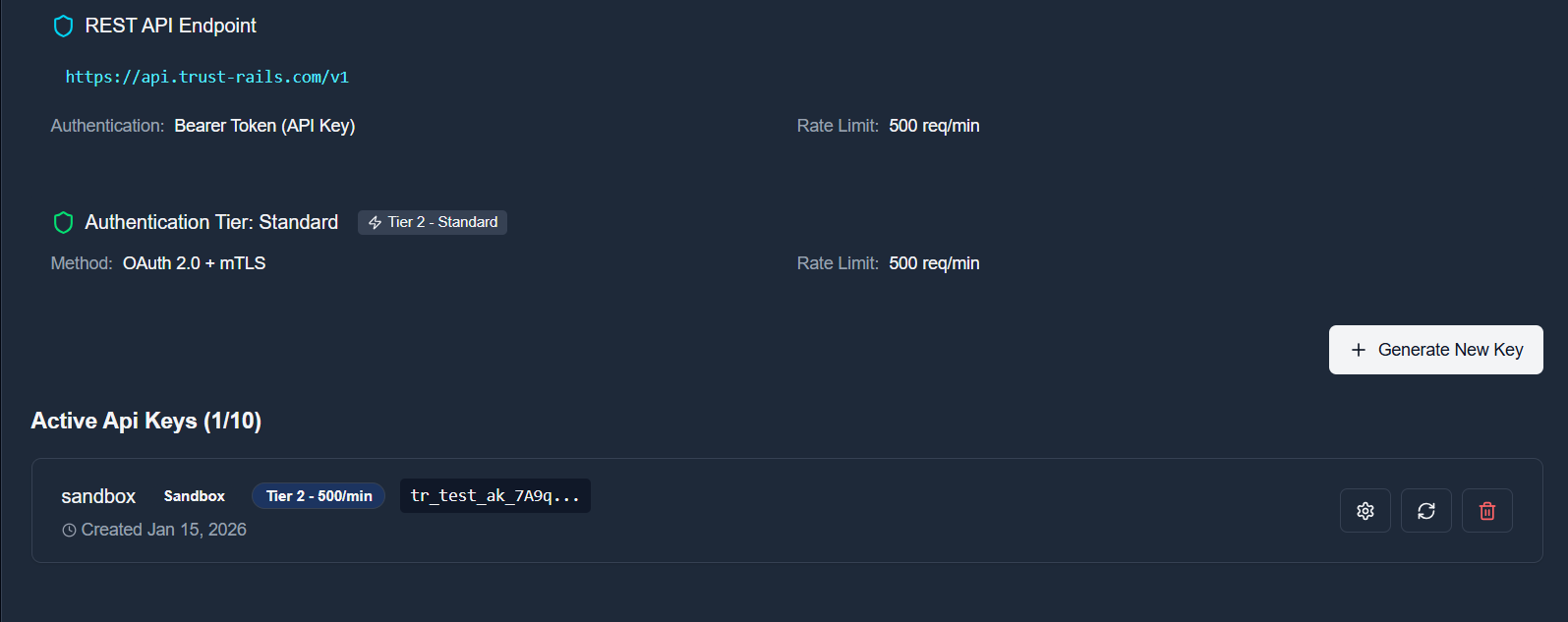
Your API key will look like this:
tr_test_ak_YOUR_API_KEYGet Available Partners
Fetch the list of verified destination custodians.
Before creating a rollover, you need to know which destination custodians are available. The /v1/partners endpoint returns all verified partners.
curl -X GET "https://api.trust-rails.com/v1/partners?active=true&verified=true" \ -H "Authorization: Bearer tr_test_ak_YOUR_API_KEY" \ -H "Content-Type: application/json"The response includes each partner's ID, name, and status:
{ "data": [ { "id": "7cf9ab0a-3b37-4c25-bf60-2d9ade0b5085", "name": "Vanguard", "website": "https://vanguard.com", "verified": true, "active": true }, { "id": "57ccba24-eb08-4664-9847-c03fa9797264", "name": "Fidelity", "website": "https://fidelity.com", "verified": true, "active": true } ], "pagination": { "page": 1, "limit": 20, "total": 2, "hasMore": false }}Understanding Partner Levels
Standard Settlement
Traditional fund transfer via ACH, wire, or check. Smart contracts handle workflow automation and audit trail.
Digital Settlement
All Level 1 capabilities plus digital settlement via TRUSD tokens for faster, on-chain fund transfers.
Alternative: Search for Participant's 401(k) Plan
If the participant doesn't know their current 401(k) custodian, you can search for their employer's retirement plan using our DOL plan search API. This returns the plan's custodian EIN, which you can match to a partner.
curl -X GET "https://api.trust-rails.com/v1/plans?sponsor=Acme%20Corporation" \ -H "Authorization: Bearer tr_test_ak_YOUR_API_KEY"Response includes the plan's custodian EIN:
{ "data": [ { "planName": "Acme Corporation 401(k) Plan", "sponsorName": "Acme Corporation", "ein": "12-3456789", "custodianEin": "23-1945930", "custodianName": "Vanguard", "participantCount": 1250 } ]}Match the custodianEin from the plan response to the ein field in the partners list to identify the source custodian.
id, ein, and level you want to use. You'll need the ID in Step 3 when creating the rollover.Create a Rollover
Submit a rollover request with participant and account details.
Now you're ready to create your first rollover. The POST /v1/rollovers endpoint accepts participant information, source account details, and destination account configuration.
curl -X POST "https://api.trust-rails.com/v1/rollovers" \ -H "Authorization: Bearer tr_test_ak_YOUR_API_KEY" \ -H "Content-Type: application/json" \ -d '{ "participant": { "firstName": "John", "lastName": "Doe", "email": "john.doe@example.com", "ssn": "123-45-6789", "dateOfBirth": "1985-06-15" }, "sourceAccount": { "custodianName": "Previous Employer 401k", "accountNumber": "ACC-123456", "accountType": "TRADITIONAL_401K" }, "destinationAccount": { "custodianId": "7cf9ab0a-3b37-4c25-bf60-2d9ade0b5085", "accountNumber": "NEW-789012", "accountType": "TRADITIONAL_IRA" }, "rolloverDetails": { "rolloverType": "FULL" } }'A successful response returns the created rollover with its initial state:
{ "id": "a1b2c3d4-e5f6-7890-abcd-ef1234567890", "state": "started", "createdAt": "2026-04-15T10:30:00Z", "participant": { "firstName": "John", "lastName": "Doe", "email": "john.doe@example.com" }, "sourceAccount": { "custodianName": "Previous Employer 401k", "accountType": "TRADITIONAL_401K" }, "destinationAccount": { "custodianId": "7cf9ab0a-3b37-4c25-bf60-2d9ade0b5085", "custodianName": "Vanguard", "accountType": "TRADITIONAL_IRA" }}Success! Your rollover has been created.
SSN Security & Confidential Vault
The Social Security Number (SSN) you submit is never stored in plain text. It is immediately encrypted using AES-256-GCM with KMS envelope encryption and stored in a Confidential Space TEE vault.
The SSN is only decrypted when required for regulatory compliance (e.g., IRS reporting, custodian verification). Access is strictly audited and requires explicit authorization.
Check Your Dashboard
Verify your rollover appears in the TrustRails dashboard.
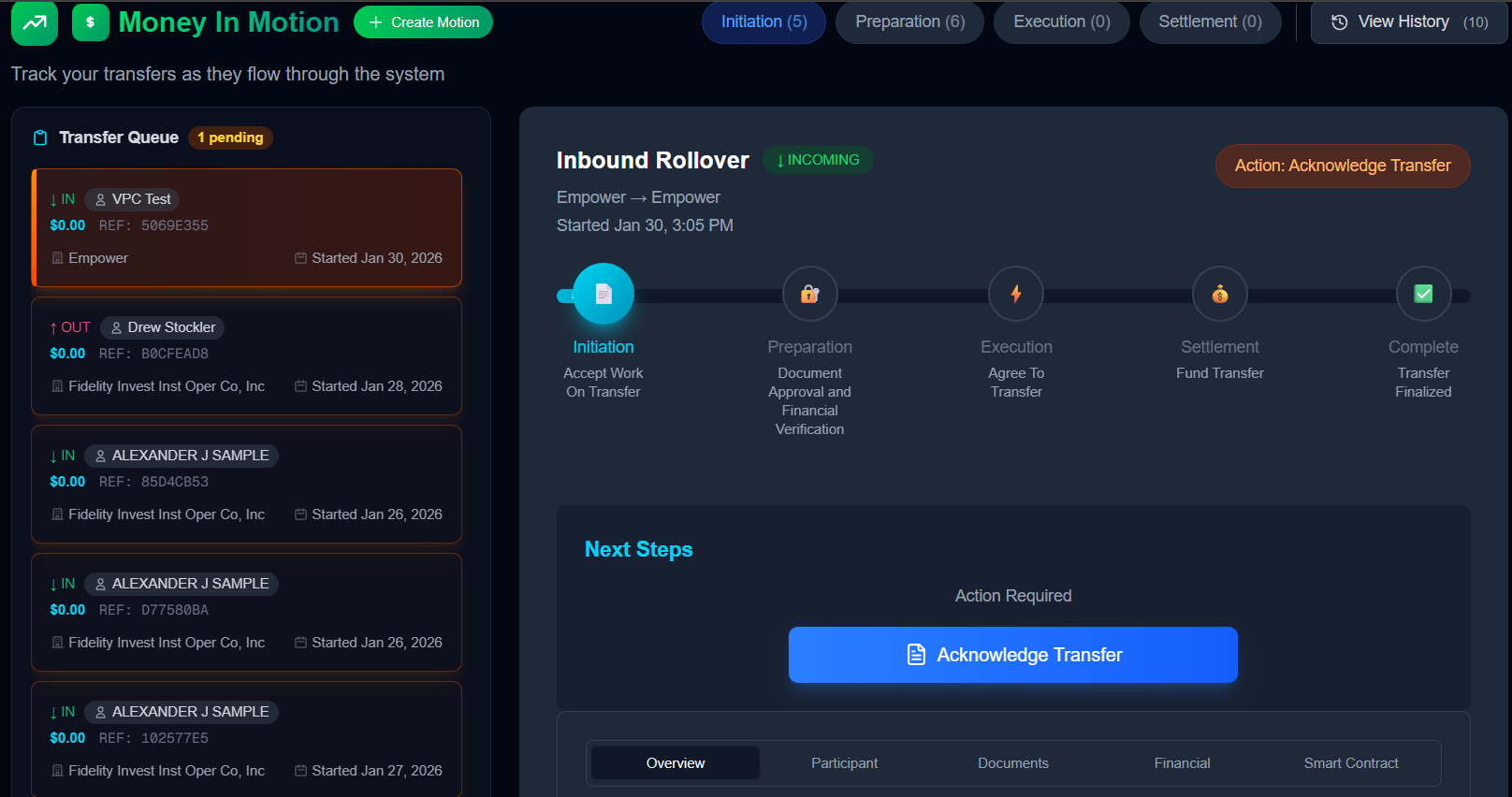
Click on the rollover to view its details, including the current state, available actions, and event timeline.
Ready to Get Started?
Explore more guides or request sandbox access to start building on TrustRails